If you've ever wondered whether you're spending more or less on Google Ads than businesses similar to yours, Google now has an answer.
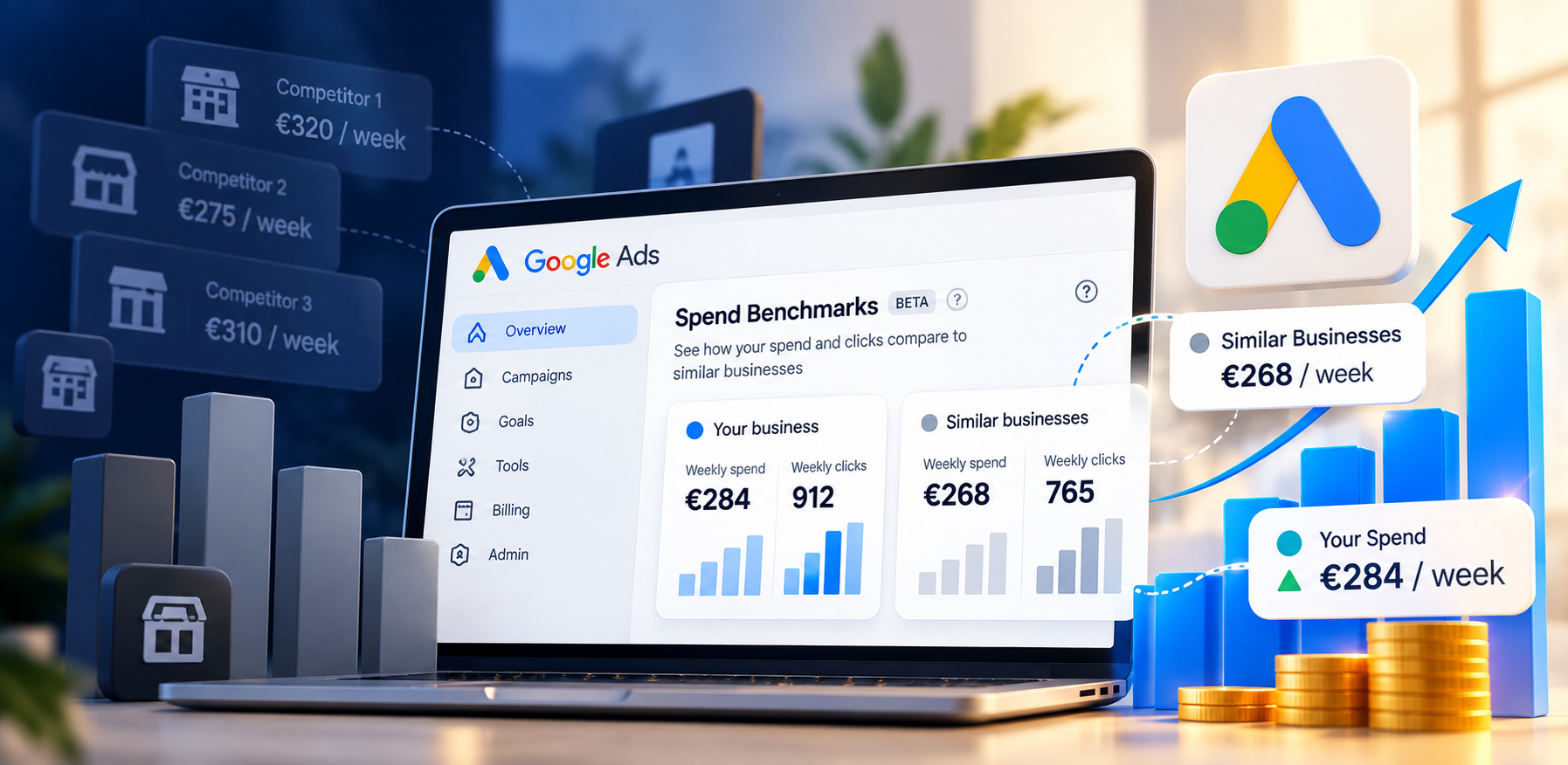
Google Ads is rolling out a new Spend Benchmarks report that compares your weekly ad spend and clicks with those of businesses Google considers similar to yours. The report is appearing in the Overview section of some Google Ads accounts.
So, what does this new comparison actually tell you, and should it influence your budget?
What Is Google Ads Spend Benchmarks?
The new report gives advertisers an external reference point for their Google Ads spending.
Instead of looking only at your own campaign data, you can now see how your account compares with a group of similar businesses.
The comparison currently focuses on two main metrics:
Weekly spend
Weekly clicks
Google uses factors such as industry and advertising location when determining the businesses included in the comparison.
For example, one reported account was spending €284 per week compared with €268 for its peer benchmark. That account generated 912 clicks compared with 765 clicks for the peer group.
Why Is This Useful?
Advertisers already have plenty of data about their own campaigns, but that data doesn't always show how their spending compares with the wider market.
The new benchmark adds another layer of context.
It can help answer a simple question:
Are businesses similar to mine spending around the same amount?
That can make budget discussions more informed, particularly when you're trying to understand whether your current spend is relatively low, high, or close to the level of similar advertisers.
Should You Increase Your Budget If Competitors Spend More?
Not necessarily.
This is one of the most important things to understand about the update.
A higher competitor spend doesn't automatically mean your business needs a bigger budget.
Google's benchmark doesn't know your:
Profit margins
Conversion rate
Average customer value
Sales cycle
Business goals
Return on ad spend
Two businesses can operate in the same industry and market while having completely different economics.
A well-planned Google Ads budget strategy should be based on what your campaigns can realistically deliver, not simply on how much other businesses appear to be spending.
Your competitors' budgets can provide context, but your results should drive your decisions.
What Should Advertisers Look At?
Use the new benchmark as one piece of information, rather than treating it as a recommended budget.
Before increasing your spend, look at what your existing campaigns are actually producing.
Check your conversions: Are additional clicks turning into leads or sales?
Review your CPA or ROAS: Is your current spend producing an acceptable return?
Look at available demand: Are your campaigns regularly limited by budget?
Compare clicks with results: More traffic isn't automatically more business.
Use the benchmark for context: If similar businesses are spending more, investigate why before changing your budget.
Google also provides tools such as the Budget Simulator and Performance Planner to estimate how budget changes could affect campaign performance.
What Does This Mean for Google Ads Strategy?
The new Spend Benchmarks report gives advertisers something they haven't had inside their accounts in quite this way: more context around their spending.
But context isn't the same as a recommendation.
A competitor may spend more because they have a larger customer base. Another business may spend less because its conversion rate is higher. The right budget depends on what makes sense for your own business.
Google is also giving advertisers more automation and new campaign controls. For example, Google AI Max for Search campaigns is another recent development changing how advertisers manage and optimize Search campaigns.
That's why the better question isn't:
"Are my competitors spending more than me?"
It's:
"Is my current budget giving my business enough profitable opportunities?"
The new benchmark can make that conversation easier to start. Your campaign data should determine where it goes next.
The right budget is only one part of the equation. A strong paid advertising strategy should connect your budget with your targeting, creative, bidding, and conversion goals.
Is Your Ad Budget Working Hard Enough?
If you're unsure whether your campaigns are making the most of your budget, Digi Lead Up can assess your paid advertising strategy and identify opportunities to improve performance.