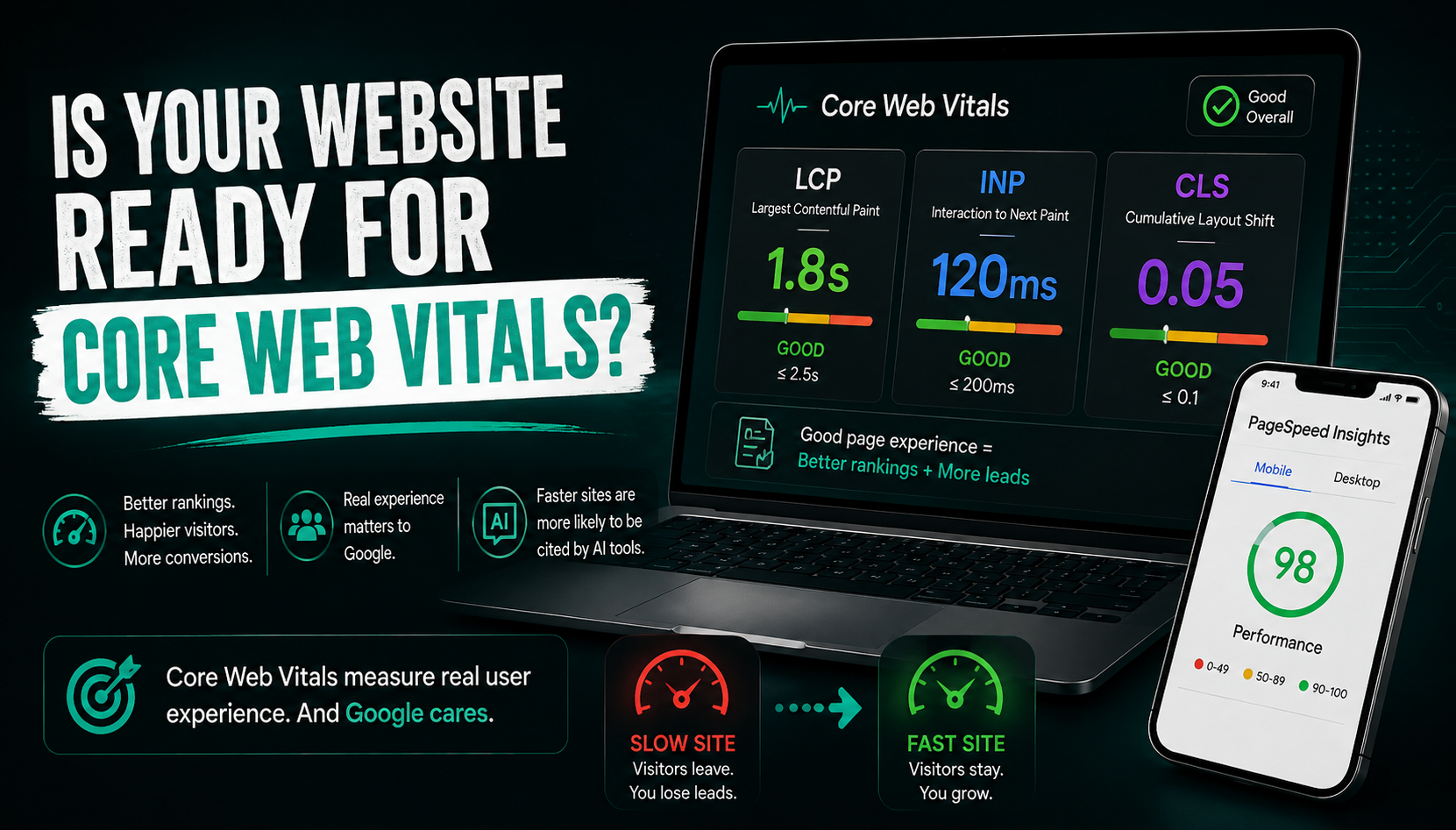
Someone searches for your business, taps your website, and waits. If that wait feels even slightly too long, most people don't stick around to find out if it was worth it. Google noticed this pattern years ago and built a whole set of measurements around it, called Core Web Vitals, and they now quietly shape whether your site ranks, and whether customers stay long enough to become a lead.
What Core Web Vitals Actually Measure
Core Web Vitals are three specific measurements Google uses to judge how your website actually feels to use, not how fast it looks in a lab test, but how it performs for real visitors on real phones and real internet connections.
- LCP (Largest Contentful Paint) measures how long it takes for the main content of your page, usually a hero image or headline, to fully load. Good is 2.5 seconds or faster.
- INP (Interaction to Next Paint) measures how quickly your site responds when someone taps a button, opens a menu, or fills out a form. Good is under 200 milliseconds. This replaced an older metric called First Input Delay a couple of years ago, so if you're reading anything that still mentions FID, it's outdated.
- CLS (Cumulative Layout Shift) measures whether things jump around while a page loads, a button shifting right as someone tries to tap it, for example. Good is a score under 0.1.
Why These Numbers Matter More Than They Sound
These aren't abstract technical scores sitting in a report nobody reads. They translate directly into real behaviour. A visitor who taps a slow-loading page is statistically far more likely to leave before your content even finishes rendering, and once they leave, they usually call the next result instead, not yours.
A one-second delay in loading time can cost you the customer before they've even seen what you offer.
For local service businesses especially, this matters even more, because visibility for searches like "plumber near me" or "dentist near me" increasingly depends on how well your site performs on mobile, where connections are slower and attention spans are shorter.
How Google Actually Checks Your Score
Google doesn't grade you on a single visit. It uses real data collected from actual visitors over a rolling 28-day period, and reports the 75th percentile, meaning your site needs to perform well for most people, not just under perfect lab conditions. This is why a page can look fast when you personally test it, and still show as "needs improvement" in Search Console, the real number reflects your average visitor, on an average phone, on an average connection, not your fast laptop on office wifi.
Search Console also groups similar pages together by template, so if one shared element, a slow-loading header, a bulky script, an unoptimised banner, is dragging down performance, it can affect dozens of pages at once, even ones that look fine individually.
The Part Most Businesses Don't Know Yet
Here's something increasingly relevant beyond rankings alone. As AI tools like ChatGPT and Google's AI Overviews pull answers directly from websites to cite as sources, early patterns suggest these systems tend to favour fast, well-structured, reliable sites when deciding what to quote or reference. In other words, a slow website isn't just losing search rankings anymore, it may also be losing visibility inside AI-generated answers before a human even sees a traditional search result.
How to Actually Check and Fix Your Score
- Run your homepage through Google's free PageSpeed Insights tool: It gives you a real, specific breakdown of LCP, INP, and CLS for both mobile and desktop.
- Check the Core Web Vitals report inside Google Search Console: This shows real visitor data over time, not just a single test.
- Compress and modernise your images: Switching to WebP or AVIF formats is one of the fastest wins for improving LCP.
- Set fixed dimensions for images and ads: This alone often fixes most CLS issues, since it stops content from jumping as things load.
- Reduce unnecessary scripts and plugins: Older WordPress sites especially tend to accumulate bloated plugins that quietly slow everything down over time.
None of this requires becoming a developer overnight. Most small business sites can meaningfully improve at least one of these three scores within a single afternoon of focused fixes.
What This Means for Your Website Going Forward
Core Web Vitals aren't a one-time checklist to pass and forget. They're an ongoing reflection of how your site actually performs for the people trying to become your customers. A site that was fast two years ago can quietly slip as more images, plugins, and tracking scripts get added over time, often without anyone noticing until rankings or conversions start dropping.
This is part of why website development is really an ongoing practice, not a one-time build. A site that was fast at launch doesn't necessarily stay fast, and Google, along with your actual customers, notices the difference either way.
Not sure how your website actually scores on these three metrics right now? Get a free website audit and we'll show you exactly what's slowing you down and how to fix it.